







Direct-connect
Create a direct connection between your network and Serverspace cloud infrastructure. A dedicated path can provide more predictable connectivity while helping reduce latency and increase available bandwidth between environments.
Host multiple websites with cloud VPS hosting from Serverspace. Virtual machine availability is covered by a 99.9% SLA.
Each virtual server receives an IPv4 address. Available bandwidth depends on the selected location and configuration and is shown in the Serverspace control panel.
Deploy a VPS cloud server in an available Serverspace location based on your audience and infrastructure requirements.
Use your virtual server without limits on inbound or outbound traffic volume. This gives your project more flexibility as traffic changes over time.
Get help from Serverspace support whenever questions about your service arise. The support team is available around the clock to assist with service-related issues.
Install the content management system required for your website and configure the virtual environment around its technical needs. Cloud virtual server hosting gives you control over the resources and software used by your CMS.


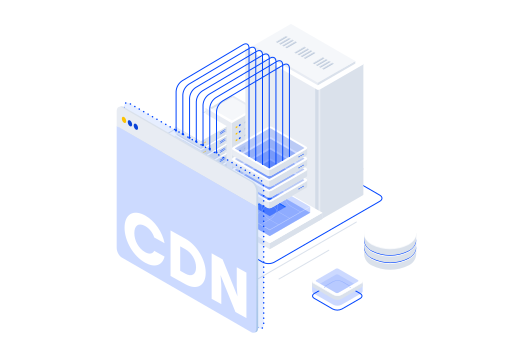
A CDN distributes static website files through geographically distributed infrastructure. Content can be delivered from locations closer to visitors, while fewer requests need to be processed directly by the origin server.
CDN can improve page loading speed and overall website performance. Faster delivery also supports a smoother user experience and can contribute to technical SEO.
Distribute website content through the CDN when demand increases instead of sending every request directly to the main server. This helps reduce pressure on the origin infrastructure during traffic spikes.
Delivering static files through the CDN reduces the amount of work handled by the origin server and can limit the need for additional resources just to serve cached content.
Select CPU, RAM, and SSD resources according to your website, application, and expected workload. Your VPS hosting price depends on the configuration you choose, so you can select a setup that matches your current requirements.
A compact cloud hosting setup for landing pages, development environments, and smaller websites.
A practical VPS hosting service configuration for production websites, business applications, and regular web workloads.
Additional computing resources for traffic-heavy websites, databases, and larger cloud VPS server hosting workloads.
Serverspace combines cloud infrastructure management through its control panel with flexible configurations and access to 24/7 technical support.
When comparing cheap cloud hosting, consider the available resources and infrastructure alongside the starting price.
Create a direct connection between your network and Serverspace cloud infrastructure. A dedicated path can provide more predictable connectivity while helping reduce latency and increase available bandwidth between environments.
Connect isolated networks to external resources through an Edge Gateway. Configure NAT and Firewall rules to manage Internet access and control incoming and outgoing network traffic.
Connect selected applications and services through a private network without assigning public IP addresses to every resource. Define private address ranges and subnets and control access within your internal environment.
Choose the appropriate quantity of resources for your VPS hosting
Select a deployment region that matches where your users are located and how your project operates. Cloud hosting USA is available for projects focused on the US market, while other available locations can be selected for workloads serving different regions.
Host landing pages, campaign websites, portfolios, blogs, and other independent or promotional web projects.
Host business sites, editorial platforms, community forums, news projects, and other content-driven resources.
Use VPS hosting for web shops, digital catalogs, and e-commerce projects that require adjustable virtual resources.
Recommend Serverspace to your audience and earn commission through the referral program. The program offers up to 10% commission on qualifying payments during the first year, followed by 5% while the referred customer remains active on paid services.
Create Serverspace account. Only an email is required.
Introduce Serverspace to your audience using the promotional materials provided through the program.
Receive commission from eligible payments made by customers who joined through your referral link.
Sign up to deploy!